Quick Share
Instantly share videos with CANVID’s Quick Share — fast cloud upload and shareable link
Need to share your screen recordings fast? Quick Share lets you instantly upload your video to the cloud, and generate a shareable link, all in one click.
If you prefer to save an MP4 copy of your video while generating a shareable link, use Create a Share Link instead.
Quick Share uploads count toward your cloud storage limit. See Cloud Credits & Storage Upgrades to check what is included and how to get more space.
How to Quick Share
Go to the editor
Finish a new recording, or open an existing project.
Click the button
Simply click Quick Share at the top-right, next to the Export button.
Instant Export
Your video will be instantly exported to the cloud, generating a shareable link that's ready to send or post online.
Click Manage Video in the export confirmation popup to edit the video's sharing settings, via the Cloud Gallery.
Quick Share Settings
Click the three vertical dots next to the Quick Share button to open the Quick Share settings.
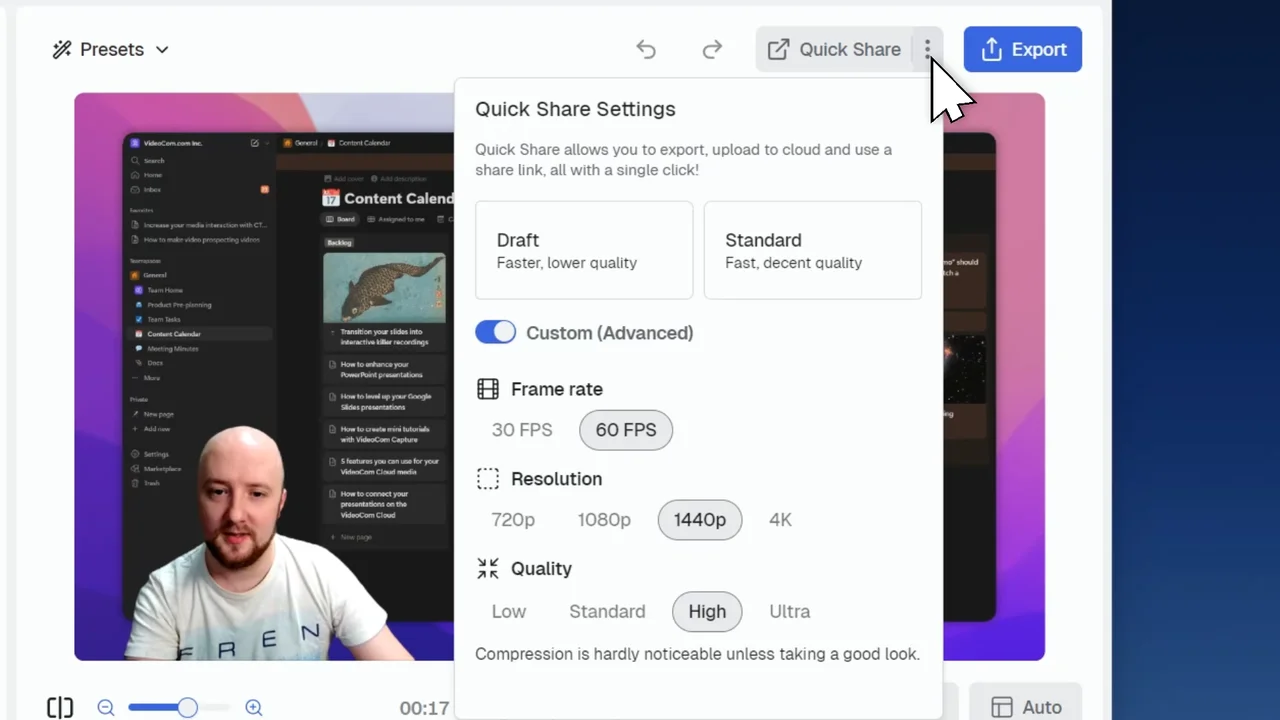
Choose a setting that fits your needs:
- Draft: Faster upload with lower video quality
- Standard: Balanced quality and speed
- Custom: Manually choose your framerate, resolution, and video quality