Cursor Customization
A Cursor That Fits Your Content
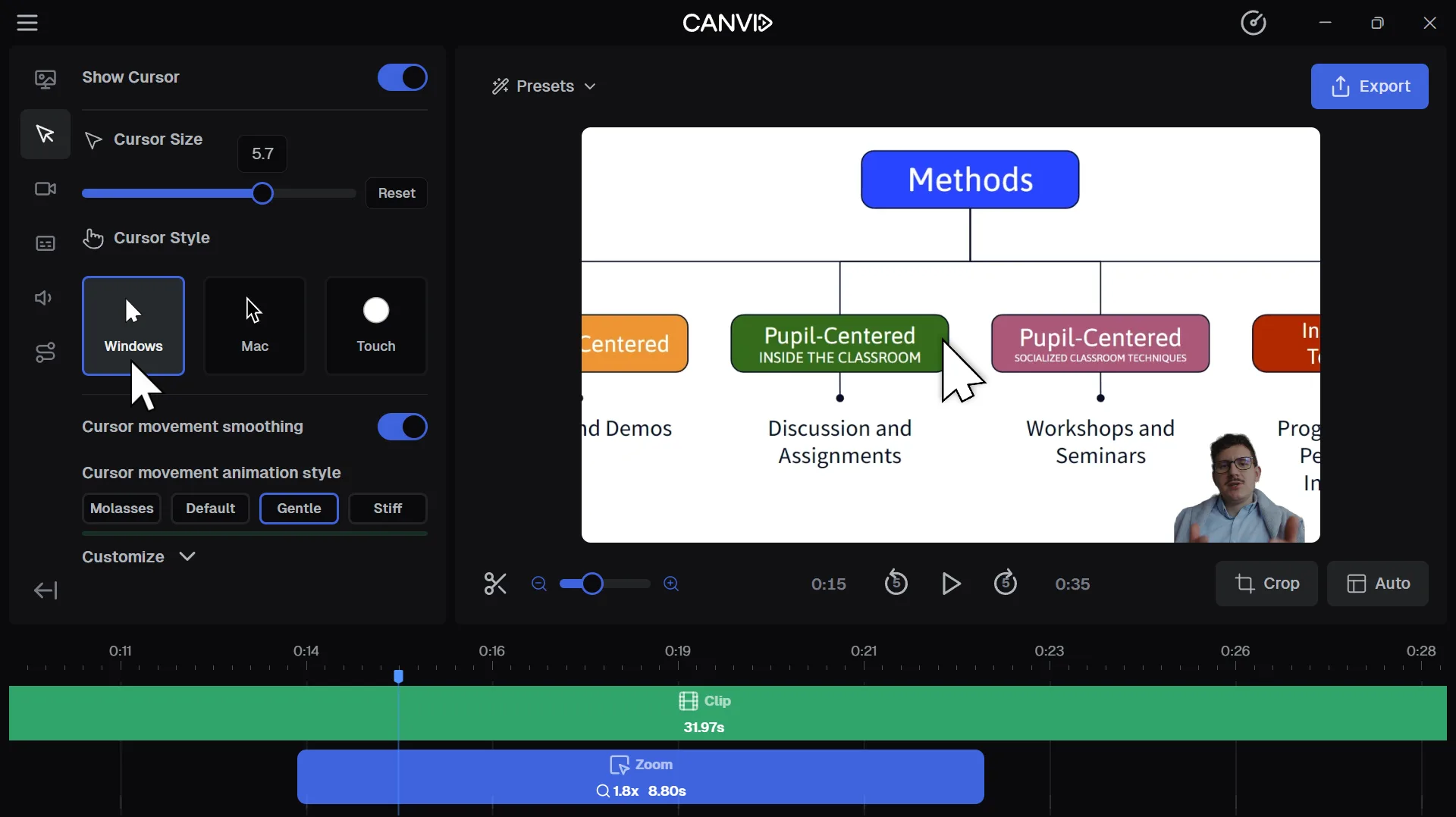
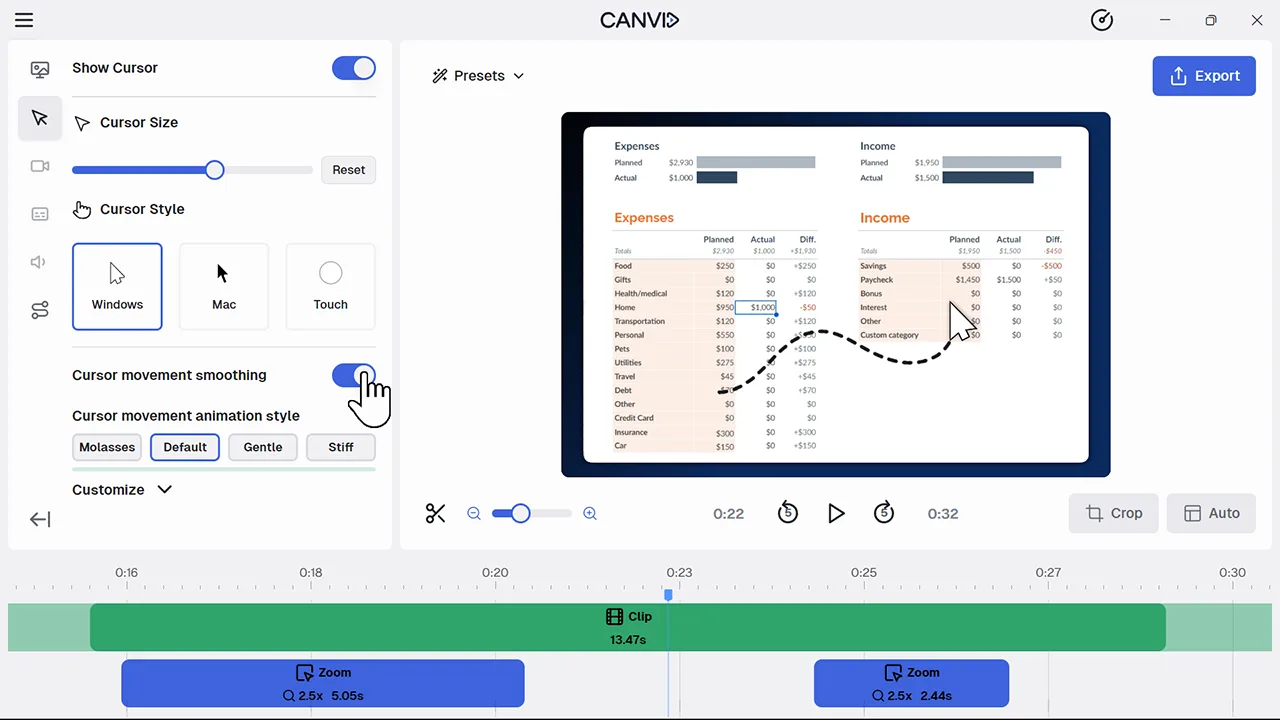
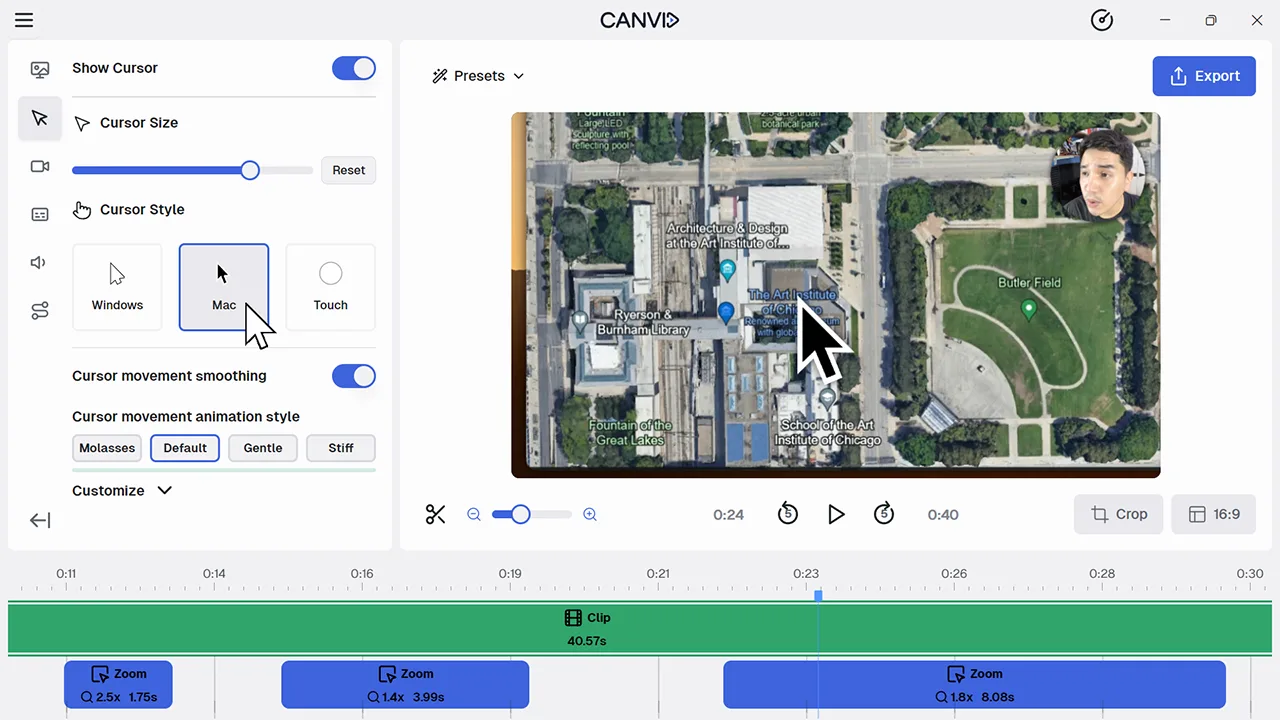
Cursor Customization lets you adjust your cursor’s size, choose Windows, Mac or touch styles, enable smoothing or animation styles such as Molasses or Gentle, and add click highlights.
A clear cursor makes your instructions easier to follow in tutorials, demos and training videos. Customizing your cursor increases engagement, ensures clarity and improves the professionalism of your screen recordings.
Frequently Asked Questions
Yes. You can pick Windows, Mac or touch-style cursors and use a slider to adjust the size.
Cursor smoothing lets you control how fluidly the cursor moves on screen. Choose animation options like Molasses, Default, Gentle or Stiff to reduce mouse shake in your recording.
Yes. You can enable click animations to draw attention or temporarily hide the cursor during typing or inactivity to keep the screen distraction-free.